
IPTV EPG Guide Canada 2026 — TV Schedule Setup
IPTV EPG guide Canada searches have grown fast in 2026 as more Canadians discover what separates a basic channel list from a true television experience. EPG stands for Electronic Program Guide — the digital TV schedule built directly into your IPTV app that shows what is playing now and what is coming up next on every channel.
This IPTV EPG guide Canada walkthrough covers exactly what EPG is, how to set it up on every major app, how to fix the most common loading issues, and why a working EPG is non-negotiable for a good IPTV experience. Whether you just started with IPTV in Canada or your guide data stopped loading, this guide has your answer.
What Is EPG? IPTV EPG Guide Canada Basics
EPG stands for Electronic Program Guide. Think of it as the digital equivalent of the printed TV listings magazine your parents used to check — except it lives directly inside your streaming app, updates automatically, and covers every channel in your subscription at once.
Without an EPG, your IPTV app is just a list of channel names — you have no idea what is currently playing or what is coming up next. With a working EPG, you get a grid view just like a traditional cable TV guide, showing show titles, air times, and often a short description for each program across every single channel.
📅
7-Day Schedule
See what’s coming up all week, not just tonight
🔍
Search by Show
Find your team’s game instantly across all channels
🏒
Sports Tags
Filter to show only live sports across the guide
How to Set Up the EPG — IPTV EPG Guide Canada Step by Step
Setting up your EPG correctly is the difference between a professional TV experience and a confusing list of unnamed channels. Here is exactly how to configure it on the most popular apps in Canada.
IPTV Smarters Pro
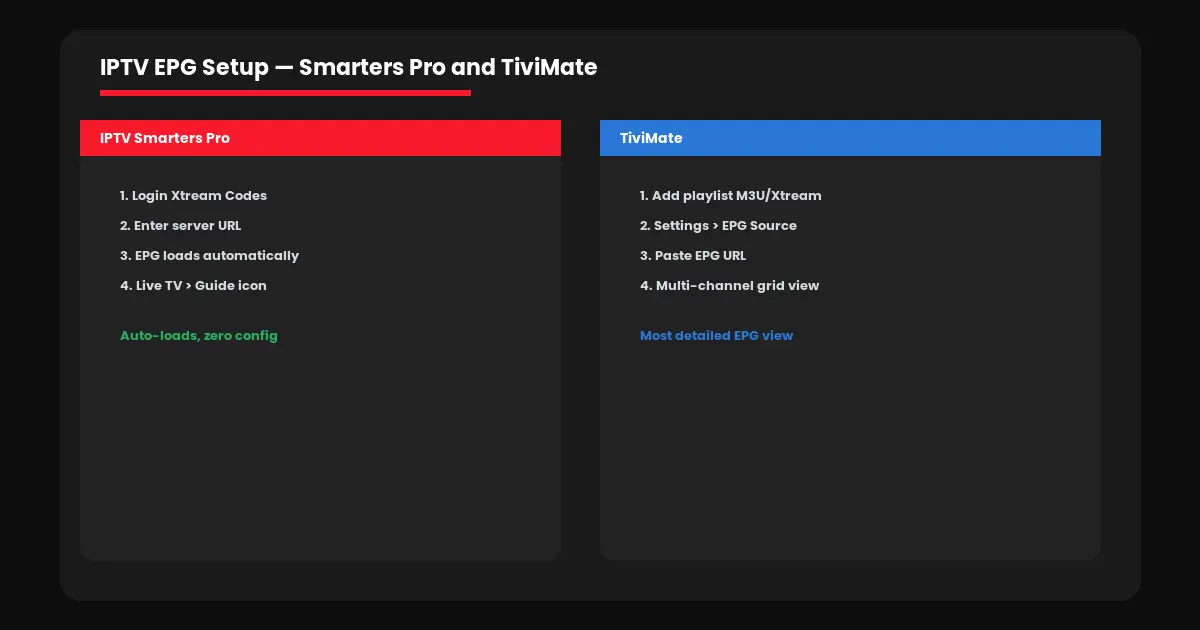
Step 1: Open the app and select “Add User” or “Login with Xtream Codes API.” Step 2: Enter your server URL, username, and password exactly as provided. Step 3: The EPG loads automatically with your Xtream connection — no separate URL needed. Step 4: Go to Live TV → tap the guide icon to browse the schedule. See our full Smarters Pro setup guide.
TiviMate
Step 1: Add your playlist via Xtream Codes or M3U URL. Step 2: If using M3U, go to Settings → Playlists → your playlist → EPG source and paste your EPG URL. Step 3: TiviMate displays a multi-channel grid guide — the most detailed EPG view available on any IPTV app.
Kodi (PVR IPTV Simple Client)
Step 1: Install the PVR IPTV Simple Client add-on. Step 2: Under General, enter your M3U URL. Step 3: Under EPG Settings, enter your XMLTV EPG URL. Step 4: Enable the add-on, restart Kodi, and navigate to TV → Guide.
Whichever app you choose, the EPG typically loads within a few minutes of adding your playlist. If it takes longer than 10 minutes or shows no data, jump to the troubleshooting section below. For device-specific instructions, check our Firestick guide or Smart TV guide.
Key EPG Features — IPTV EPG Guide Canada Checklist
Not all EPG implementations are equal. Use this IPTV EPG guide Canada checklist to know what a properly built guide should include before you judge your provider’s quality.
→ 7-day forward schedule — not just what’s airing right now
→ Search function — find “Maple Leafs” and jump straight to the game
→ Sport and event tags — filter the entire guide to live sports only
→ Program synopsis — short descriptions, episode numbers, air dates
→ Catch-up integration — scroll back and replay recently aired shows directly from the guide
EPG Not Loading? IPTV EPG Guide Canada Fixes
The most common complaint in any IPTV EPG guide Canada search is guide data that refuses to load or shows the wrong schedule. Here are the fixes that solve 95% of EPG problems.
“No Program Info” showing: The EPG data needs time to sync — wait 10-15 minutes after adding your playlist, then restart the app.
Wrong times displayed: Check your device’s time zone settings match your actual location — a mismatched time zone shifts every program time.
Some channels missing guide data: Not every channel has EPG mapping — this is normal for smaller or regional channels and does not affect the live stream itself.
Guide freezes or crashes: Clear the app cache in your device settings, or reinstall the app and re-enter your credentials.
If problems persist beyond the EPG itself, your issue might be connection-related — check our buffering troubleshooting guide for a full diagnostic. Ready to experience a properly working EPG? Visit IPTV Canada Officiel or start with a free 24-hour trial to test the guide on your device. For app comparisons, see our best IPTV apps Canada guide.
Frequently Asked Questions — IPTV EPG Guide Canada
EPG stands for Electronic Program Guide — the built-in TV schedule inside your IPTV app that shows what is playing now and what is coming up next on every channel.
New playlists take 10-15 minutes to sync EPG data. If it still shows nothing after that, restart the app or verify your EPG URL is correctly entered in your player settings.
TiviMate offers the most detailed multi-channel grid guide. IPTV Smarters Pro provides the simplest EPG setup since it loads automatically with Xtream Codes.
Yes. Most quality IPTV apps include a search function that lets you type a team or show name and jump directly to the correct channel and time slot.
No. Smaller or regional channels sometimes lack EPG mapping. This does not affect the live stream — it just means no schedule preview is available for that channel.