
What Is IPTV? Complete Guide Canada 2026
What is IPTV? It stands for Internet Protocol Television — a way of delivering live TV channels, movies, and shows over the internet instead of through a traditional satellite dish or cable line. If you have ever streamed Netflix, you already understand half the concept. IPTV takes that same internet-delivery model and applies it to live television, giving you thousands of channels through a single app.
This guide answers the question “what is IPTV” in full — how it actually works behind the scenes, how it differs from cable and from Netflix-style streaming, what equipment you need, what it costs in Canada, and how to get started in 2026. By the end, you will understand exactly why over three million Canadian households have already made the switch.
[rank_math_toc]
What Is IPTV, Exactly?
IPTV stands for Internet Protocol Television. Instead of receiving TV channels as broadcast signals through a satellite dish or coaxial cable, IPTV delivers the exact same channels as data packets sent over your internet connection — the same underlying technology that powers internet protocol television services worldwide.
In practice, this means you open an app on your Firestick, Smart TV, phone, or computer, log in with credentials from your provider, and instantly access live channels, on-demand movies, and TV series — all streamed through your existing internet connection. No satellite dish on your roof, no technician visit, no cable box rental.
📡
Delivered via Internet
No satellite dish or cable line required
📺
Live + On-Demand
Live channels, movies, and series in one app
💰
Fraction of Cable Cost
Typically $15-20/month vs $120+ for cable
How Does IPTV Work?
Understanding what is IPTV also means understanding the mechanics behind it. When you press play on a channel, your IPTV app sends a request to your provider’s server. That server streams video data back to your device in small compressed chunks, which your app decodes and displays in real time — similar to how YouTube or Netflix stream content, but organized as live linear channels instead of on-demand libraries.
Two connection formats dominate the IPTV world: Xtream Codes API and M3U playlists. Xtream Codes bundles your channels, movies, series, and program guide into one automatic connection — you enter a server URL, username, and password, and everything loads. M3U is a simpler playlist file listing channel stream links, often paired with a separate EPG (program guide) URL that you add manually.
The quality of your stream depends on three factors: your internet speed, the provider’s server infrastructure, and the app you use to watch. A stable connection of 25 Mbps or higher comfortably handles Full HD streaming, while 50 Mbps or more is recommended for smooth 4K playback.
IPTV vs Cable vs Netflix — What’s the Real Difference?
People often ask what is IPTV in relation to services they already know. Here is how it actually compares.
| Feature | IPTV | Cable | Netflix |
|---|---|---|---|
| Live TV channels | ✓ Thousands | ✓ 200-300 | ✗ |
| Monthly cost | $15-20 | $120+ | $17-23 |
| Contract required | No | Often 1-2 years | No |
| Equipment needed | Any streaming device | Cable box + dish | Any streaming device |
The key distinction: Netflix gives you a library of on-demand shows and movies you choose from, while IPTV replicates the live, scheduled experience of traditional TV — plus a VOD library on top. For a deeper cost breakdown, see our IPTV vs cable comparison and IPTV vs streaming services comparison.
What Equipment Do You Need for IPTV?
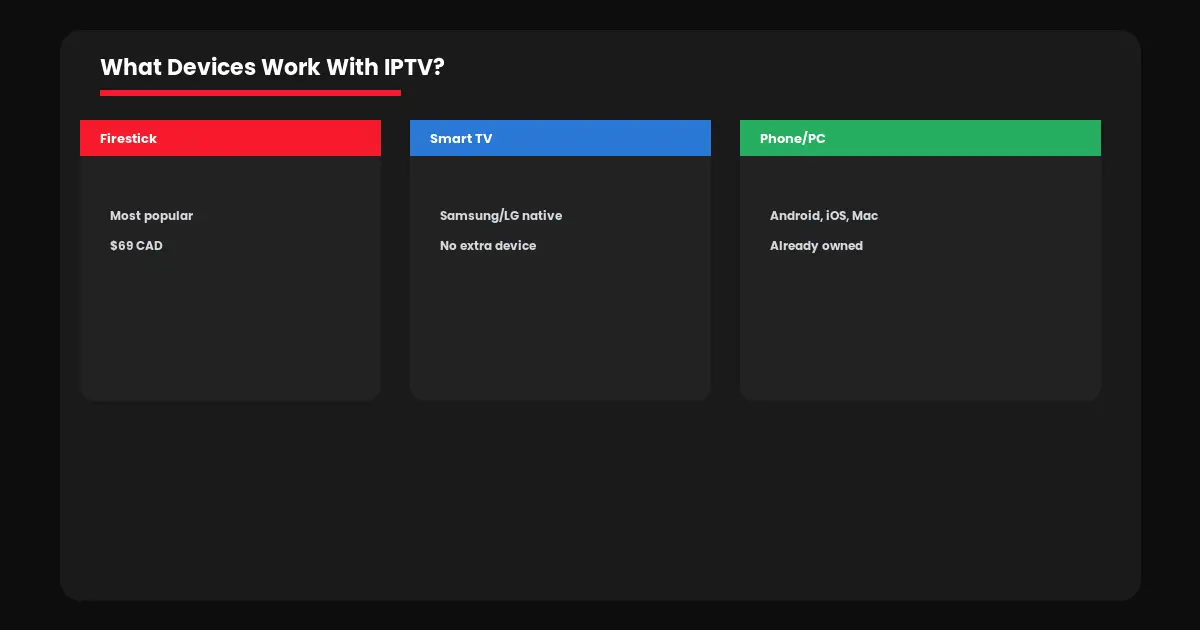
One of the best answers to “what is IPTV” comes down to accessibility — you almost certainly already own a compatible device. IPTV works on nearly anything with an internet connection and an app store.
→ Streaming sticks: Fire TV Stick is the most popular and affordable entry point
→ Smart TVs: Samsung and LG support native IPTV apps, no extra device needed
→ Android devices: Phones, tablets, and Android TV boxes all work
→ Apple devices: iPhone, iPad, and Apple TV all support IPTV apps
→ Computers: Windows and Mac via VLC or dedicated software
You will also need a subscription (channels, movies, series data) and an app to play them — the two are separate. The subscription is your IPTV provider account, and the app (IPTV Smarters Pro, TiviMate, etc.) is the free software that displays your subscription’s content. Our best IPTV apps Canada guide compares the top options.
How to Get Started With IPTV in Canada
Now that you know what IPTV is, getting started takes about 10 minutes (see the full guide to getting IPTV in Canada). Here is the simplest path.
Step 1: Choose a device you already own — most people start with a Firestick or Smart TV.
Step 2: Pick a subscription plan. Visit IPTV Canada Officiel to compare plans with full Canadian channel coverage.
Step 3: Install IPTV Smarters Pro — the easiest app for beginners. Our setup guide walks through every screen.
Step 4: Test with a free 24-hour trial before committing to a full plan.
Before subscribing anywhere, it is worth understanding what to look for in a provider — read our how to choose an IPTV provider guide to avoid unreliable services.
Common Misconceptions About What IPTV Is
A lot of confusion exists around what IPTV actually is, largely because the term gets used loosely online. Clearing up a few common myths helps set realistic expectations before you subscribe.
Myth: All IPTV is the same. Quality varies enormously between providers — server stability, channel accuracy, and support quality differ just as much as with any other service industry.
Myth: IPTV requires technical expertise. Modern apps like Smarters Pro make setup as simple as entering a username and password — no coding or networking knowledge needed.
Myth: IPTV and “piracy boxes” are the same thing. IPTV is a delivery technology, not a legal category — the same way “streaming” describes Netflix and YouTube equally. Legitimacy depends on the specific service and its content licensing, which our legal guide explains in detail.
Understanding these distinctions helps you evaluate providers more critically instead of assuming every service labeled “IPTV” delivers the same experience or operates the same way.
Wondering about the legal side? Our IPTV legal guide for Canada covers that in full.
IPTV has grown from a niche tech term into the mainstream way Canadians watch television in 2026. Now that you understand what IPTV is and how it works, the next step is simply trying it — most providers let you test everything risk-free before paying a cent.
Frequently Asked Questions — What Is IPTV
IPTV stands for Internet Protocol Television — TV delivered as data over an internet connection rather than through satellite or cable signals.
No. Netflix is an on-demand library. IPTV replicates live, scheduled TV channels — like cable — plus its own on-demand movie and series library.
25 Mbps or higher comfortably handles Full HD. 50 Mbps or more is recommended for smooth 4K streaming, especially with multiple devices connected.
No special equipment is required. IPTV works on Firestick, Smart TVs, Android devices, Apple devices, and computers you likely already own.
Quality IPTV subscriptions typically cost $15 to $20 per month, compared to $120 or more for equivalent cable packages.