
IPTV M3U vs Xtream Codes is a question that trips up nearly every new subscriber, since providers throw around both terms without explaining what they actually mean or which one you should choose. Both are simply different methods of connecting your app to your channel list, but the practical differences affect setup speed, EPG accuracy, and how easy troubleshooting becomes down the line.
This guide breaks down IPTV M3U vs Xtream Codes in plain terms — how each format works technically, the real pros and cons of each, and which one makes sense for your setup. If you have already started with IPTV Smarters Pro or explored our EPG guide, this fills in the technical foundation those guides build on.
[rank_math_toc]
M3U is a simple playlist file format originally designed for audio players, later adapted for streaming video. In IPTV terms, an M3U file is essentially a text list of channel names paired with their direct stream URLs — nothing more complex than that under the hood.
When you use M3U, your provider gives you a single URL that your app downloads to build your channel list. Because M3U was never designed with program guide data built in, you typically need a second, separate URL for EPG data — an XMLTV link that your app fetches independently and matches against your channels using channel IDs.
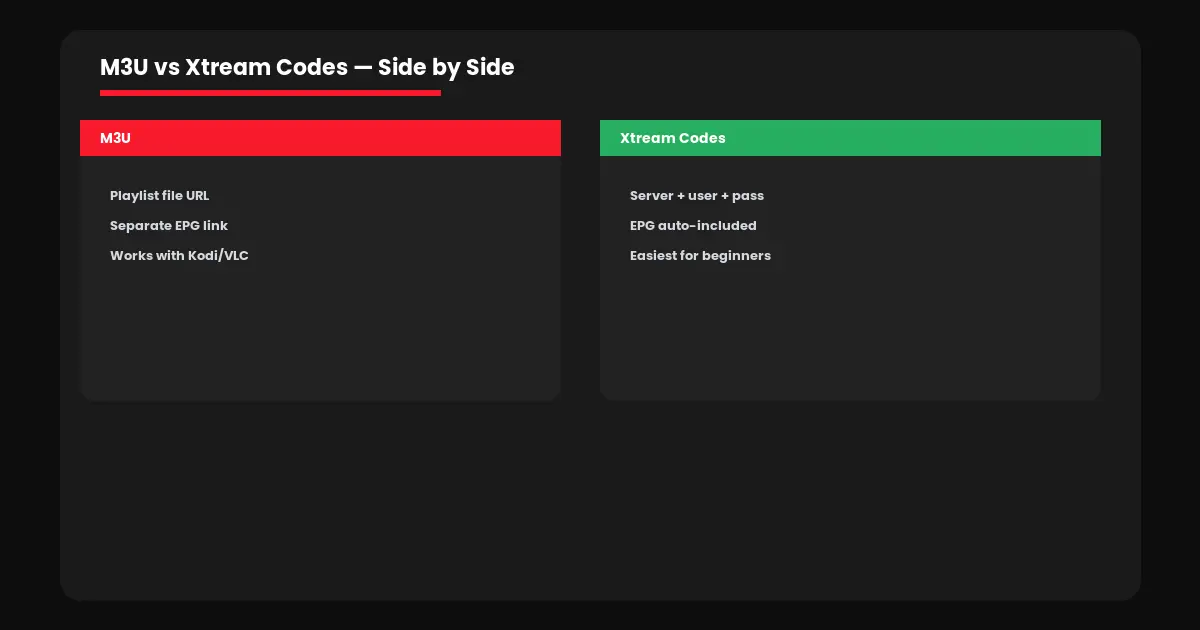
Xtream Codes API is a more complete panel system that bundles your live channels, movie library, TV series, and EPG data together behind a single login — server URL, username, and password. Rather than downloading a static playlist file, your app communicates directly with the provider’s server using this API to pull everything it needs in real time.
This is why Xtream Codes logins feel more like logging into an account than loading a file — because that is essentially what is happening. The provider’s panel manages your access, and your app simply authenticates against it every time you open the application.
📄
M3U = Simple File
One playlist URL, EPG added separately
🔐
Xtream = Full Login
Server, username, password — all-in-one
⚙️
Both Work the Same Content
Just different connection methods
Here is how IPTV M3U vs Xtream Codes actually compares across the factors that matter most for everyday use.
| Factor | M3U | Xtream Codes |
|---|---|---|
| Setup steps | 2 URLs needed | 1 login, auto-loads |
| EPG included automatically | No, separate URL | Yes |
| App compatibility | Universal (Kodi, VLC, all apps) | Most modern apps |
| Beginner-friendly | Moderate | Easiest |
For beginners, Xtream Codes is almost always the smoother experience — our Smarters Pro setup guide is built entirely around this login method for exactly that reason. M3U remains relevant for specific use cases, particularly if you are configuring IPTV on Kodi, where the PVR IPTV Simple Client add-on works natively with M3U playlists and separate EPG URLs.
In practice, this decision in the IPTV M3U vs Xtream Codes debate usually comes down to your app rather than a genuine preference — most providers offer both options for the same subscription, so you are choosing a connection method, not different content.
→ Using IPTV Smarters Pro or TiviMate? Choose Xtream Codes for the simplest setup with automatic EPG.
→ Using Kodi or VLC? M3U is the standard format these players expect natively.
→ Not sure which your provider offers? Most providers give you both — ask for whichever your app requires.
→ Want the absolute easiest start? Xtream Codes removes the extra EPG configuration step entirely.
Understanding IPTV M3U vs Xtream Codes also means knowing what typically goes wrong with each, since the troubleshooting steps differ.
M3U — Channels load but no guide data: You likely forgot to enter the separate EPG/XMLTV URL. Check your app’s EPG settings field specifically.
M3U — Playlist won’t load at all: Double-check the URL for typos — a single wrong character breaks the entire connection.
Xtream Codes — “Invalid credentials” error: Verify server URL, username, and password are entered exactly as provided, with no extra spaces.
If problems persist beyond connection setup, your issue may be related to speed rather than format — our complete buffering guide covers connection-related troubleshooting in depth, and our VPN for IPTV guide explains when a VPN can help with ISP throttling regardless of which connection format you use.
Device compatibility plays a real role in the IPTV M3U vs Xtream Codes decision, since not every app on every platform handles both formats equally well. On Firestick and Android devices, apps like Smarters Pro and TiviMate support both formats natively, so the choice comes down to personal preference rather than technical necessity.
On Smart TVs running native apps like IBO Player, Xtream Codes tends to be the more commonly supported option since the streamlined login process suits remote-control navigation better than manually entering two separate URLs. Computer-based setups using VLC lean toward M3U, since VLC natively opens playlist files without any dedicated IPTV app layer in between.
Regardless of which format your device favors, the underlying subscription content stays identical — you are never sacrificing channels, quality, or features by choosing one connection method over the other. The decision is purely about convenience and which setup process fits your comfort level with technology.
Ready to set up your connection the right way? Visit IPTV Canada Officiel to get your credentials, or test everything first with a free 24-hour trial.
For most users, yes — Xtream Codes is simpler since it bundles EPG data automatically. M3U requires a separate EPG URL but remains the standard format for players like Kodi.
No. Both are simply different connection methods to the same subscription content — your channels, movies, and series are identical either way.
Yes, if your provider offers both. You can switch connection methods without changing your subscription itself.
M3U does not include EPG data by default. You need to add a separate XMLTV EPG URL in your app’s settings for the program guide to appear.
M3U is the standard format for Kodi’s PVR IPTV Simple Client add-on, which expects a playlist URL and a separate EPG URL.