
Android Box vs Firestick IPTV Canada — 2026 Comparison
Choosing between an Android box vs Firestick IPTV Canada setup is one of the most common questions new IPTV users ask before their first month of streaming even starts. Both devices run IPTV apps well, both plug straight into your TV, and both cost less than a single month of traditional cable — but they are not identical, and picking the wrong one can mean unnecessary buffering, a clunkier remote experience, or a shorter device lifespan.
This guide breaks down the real differences so you can set up your IPTV Canada subscription on the device that actually fits how you watch — before you commit to an IPTV subscription Canada plan.
Table of Contents
Android Box vs Firestick IPTV Canada: Head-to-Head
Before picking a device, it helps to see the core specs side by side. Here’s how a typical Android TV box compares to an Amazon Firestick 4K for running IPTV apps:
| Feature | Android Box | Firestick |
|---|---|---|
| Price range | $60–$150 | $40–$65 |
| Storage | 16GB–64GB (expandable) | 8GB–16GB (fixed) |
| Processor power | Higher (multi-app multitasking) | Moderate (optimized for streaming) |
| App source flexibility | Google Play + APK sideloading | Amazon App Store + sideloading |
| Setup difficulty | Moderate | Very easy |
| Best for | Daily heavy IPTV use | Casual to regular streaming |
Both devices run popular IPTV player apps like IPTV Smarters Pro without issue — see our IPTV Smarters Pro setup guide for the exact configuration steps once your device is ready. Whichever side of the Android box vs Firestick IPTV Canada debate you’re on, the app setup itself takes only a few minutes.
Why Choose a Firestick for IPTV Canada
The Amazon Firestick remains the most popular entry point for new IPTV Canada subscribers, and for good reason. It’s inexpensive, plugs directly into any HDMI port, and the setup process from unboxing to your first live channel usually takes under fifteen minutes.
- Plug the Firestick into your TV’s HDMI port and connect to Wi-Fi.
- Enable apps from unknown sources in Settings > My Fire TV > Developer Options.
- Install a sideloading app such as Downloader to bring in your IPTV player.
- Log in with the credentials from your IPTV subscription Canada plan and start streaming.
Our full how to install IPTV on Firestick walkthrough covers every screen in more detail if you’re setting one up for the first time.
Why Choose an Android Box for IPTV Canada
An Android TV box costs more upfront, but the extra processing power and storage pay off for households that stream IPTV every single day, run multiple apps side by side, or want to install add-ons beyond what the Fire TV ecosystem allows. Expandable storage also means your app cache and downloaded content won’t slow the device down after a few months of heavy use.
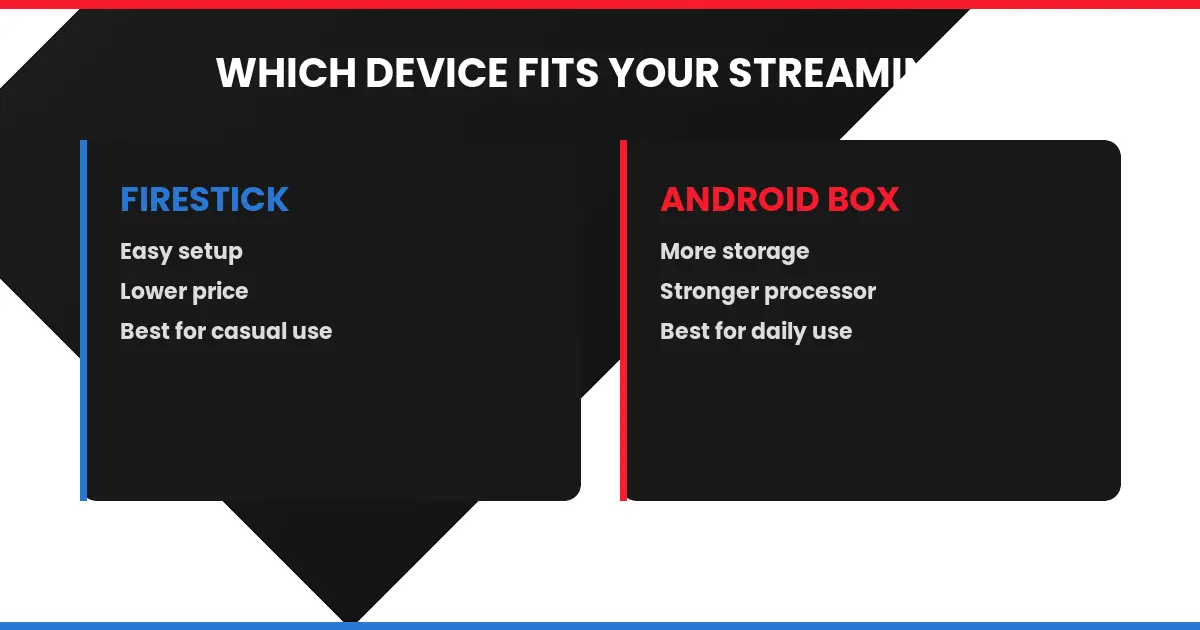
You want the simplest setup, a lower price, and you stream IPTV a few hours a day rather than around the clock.
You want more storage, stronger performance for multitasking, and you stream IPTV as your primary daily TV source.
Android Box vs Firestick IPTV Canada: Buffering and Performance
Neither device is inherently more prone to buffering — most buffering issues come down to your home Wi-Fi speed rather than the streaming box itself. That said, an Android box’s stronger processor handles higher bitrate 4K streams more smoothly, which matters if you’re watching sports in the highest available quality. If you notice lag on either device, start with our IPTV buffering fix guide before assuming the hardware is the problem.
Android Box vs Firestick IPTV Canada: Feature Support
Yes. Whether you pick an Android box or a Firestick, both support a full EPG program guide, catch-up TV, and multi-device usage limits tied to your IPTV Canada subscription plan — see how many devices IPTV Canada supports for the exact connection limits by plan tier. Both device types also support live sports channels equally well, including the NHL, NFL, and NBA IPTV Canada broadcasts covered in our other guides.
For reference, both platforms run on customized builds of the open-source Android operating system, which is exactly why the same IPTV player apps install cleanly on either device with only minor interface differences.
Console and Alternative Device Options
If you’d rather avoid buying a new streaming box altogether, IPTV also runs on existing hardware you may already own. Check our guide on IPTV on PS4, PS5, and Xbox for a browser-based alternative that skips the Android box vs Firestick IPTV Canada decision entirely.
Final Verdict: Which Should You Buy?
If you’re new to IPTV and want the fastest path to your first live channel, a Firestick is the safer starting point. If you already know you’ll be streaming daily, running multiple apps, or want a device built to last several years without slowing down, the Android box is worth the extra cost. Whichever side of the Android box vs Firestick IPTV Canada debate you land on, the device is only half the equation — the other half is a reliable IPTV subscription Canada plan with real channel stability, which you can compare from the IPTV Canada homepage.